CASEHUG Information
What is CASEHUG? Review and Opinions
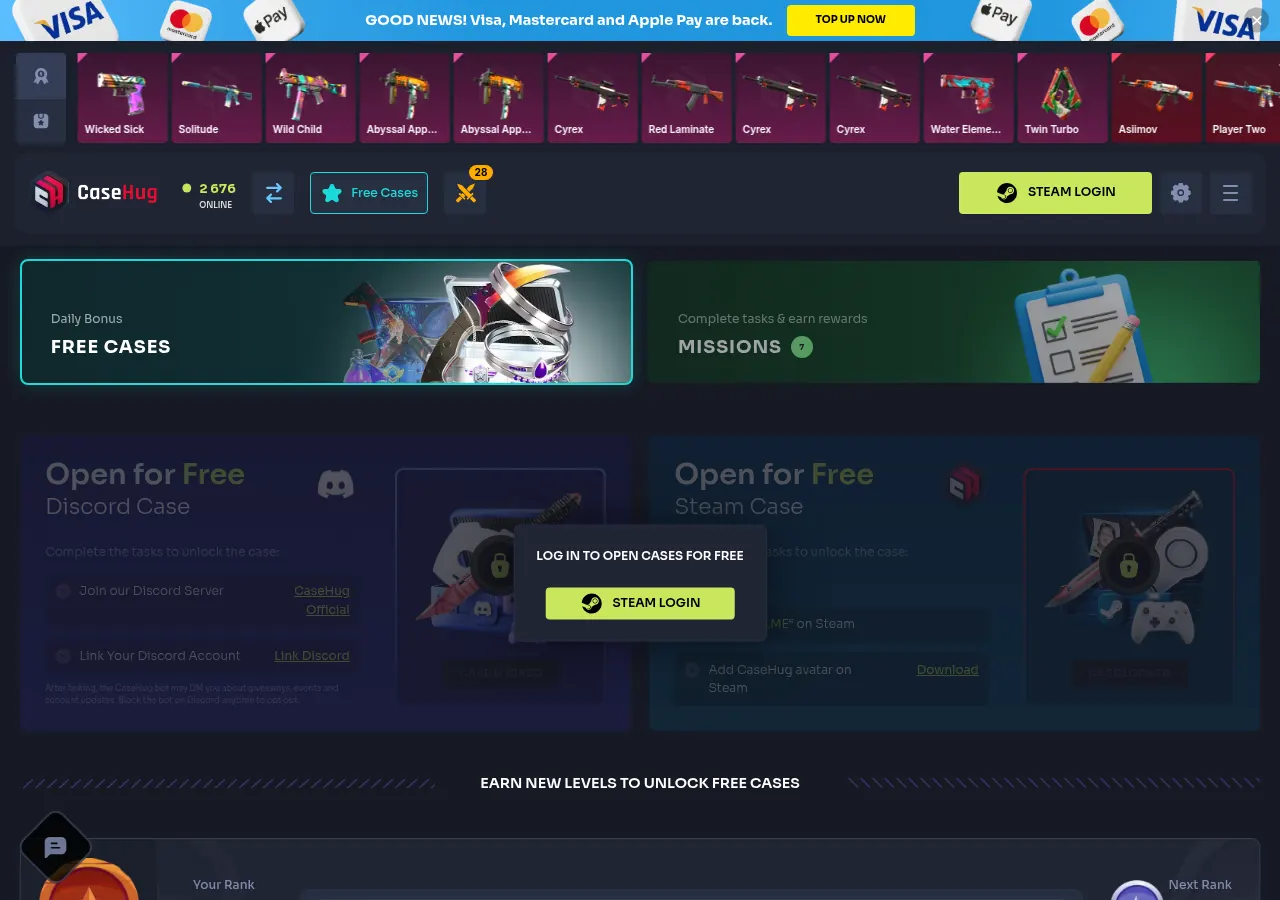
How to claim a CaseHug free case
Free Cases is a section with tasks and account-level rewards. It is not the same as a referral-code bonus. The public interface requires Steam login and shows Discord and Steam tasks alongside cases unlocked at different levels. Not every case is immediately available.
- Open the official CaseHug Free Cases page and check the selected case's requirements.
- Sign in through Steam only if you meet the age and terms requirements. Check the casehug.com domain before logging in.
- For Discord Case, the interface lists joining the official server and linking Discord. Steam Case lists Steam-profile tasks. Only perform actions you knowingly agree to.
- For level cases, check the required level. The public view shows Iron at level 12 and Bronze at level 24. Reaching a level does not guarantee a valuable item.
- Check the unlock status on your account after meeting the conditions. Do not spend money solely to reach another level.
Using CaseHug referral code COINSELL
DreamCodes lists COINSELL and a referral link. Copy the code, open CaseHug separately and check the current offer on your account before confirming it. We have not redeemed this code or confirmed a current reward amount. We therefore do not guarantee a 20% deposit bonus or a fixed welcome credit. Rejection of a referral code does not automatically mean that every Free Cases task is unavailable.
A free case does not mean deposit-free withdrawals
The CaseHug terms, account-tier rules, require cumulative top-ups equivalent to USD 2 to obtain Tier 1 and item-withdrawal eligibility. A USD 2 balance is not a substitute for funding. A valid Trade Link belonging to your Steam account is also required, and additional verification may apply under the terms.
Section 8.1 sets a minimum top-up of USD 2. This is separate from the conditions for delivery of an individual item. Availability still matters, and Pay by Skins has an 8-day settlement period. Opening a free case does not waive these rules.
Why is my CaseHug free case locked?
Check login status, completion of the listed tasks and the required level first. A locked case does not prove that you need a different promo code. If completed tasks have not updated, ask CaseHug support. Do not create extra accounts or bypass promotion restrictions.
See G4Skins code requirements and CaseHug vs G4Skins. Compare eligibility and withdrawal conditions rather than treating every advertised free case as an identical offer.
Public Free Cases interface and terms reviewed on 18 October 2026. No code was redeemed, no deposit was made and no case was claimed. This is not a successful code-verification date. Adults only. Paid case opening carries a risk of losing money.
Frequently Asked Questions About CASEHUG
How do I claim a CaseHug free case?
Open Free Cases, sign in through Steam and check the selected case’s task or level requirements. The public interface lists Discord and Steam tasks and level-based cases. Not all cases are immediately available.
Does COINSELL unlock every free case automatically?
We have not confirmed such an offer. Referral codes and Free Cases tasks are different mechanisms. Check the message on your account rather than assuming a guaranteed reward or automatic unlock.
Can I withdraw a CaseHug free-case item without funding?
The terms require cumulative funding equivalent to USD 2 to obtain Tier 1 withdrawal eligibility. A USD 2 balance is not enough. Trade Link, item availability and any applicable additional verification conditions also apply.